What's New: eAuthorization
Schwab Advisor Center® has digital tools and resources to help you onboard new relationships, support your clients, and scale your business. Below you can learn about the latest enhancements and resources, or explore recent updates by clicking on a topic.
Clients can eAuthorize check transactions you upload using the Import Transactions tool
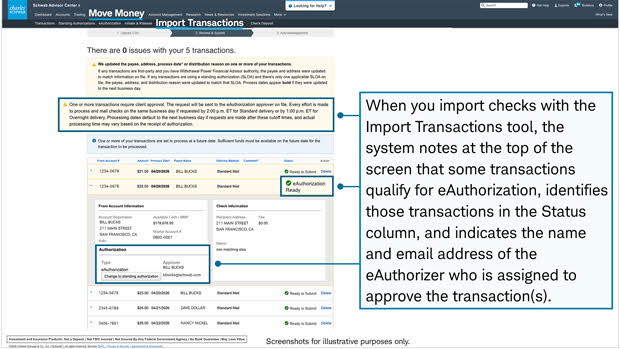
Your clients can now eAuthorize check transactions that you upload using the Import Transactions feature in move money.
If you have used Import Transactions in the past, be sure to download the new version of the comma-separated values (CSV) file, which is available on the Import Transactions page. Click the link in step 1 under the "Start your file upload" header to download a ZIP file that includes the updated template you'll need.
The updated file includes new columns—Payee Name and Addressee Name—that must be completed before your clients can eAuthorize these transactions.
Once you've added the required transaction details and uploaded the file, the system automatically selects an eligible account owner and assigns that person to eAuthorize the transaction. You can then review these assignments in the Import Transactions tool.
April 2026 (0426-XUSX)